Streaming guide
You’re free to use LoreMania (ご当地マニア検定) in live streams, commentary, and uploaded videos — monetization welcome. This page exists to remove any “is it OK to stream this?” worry (no account needed).
Streaming & posting
- Live streaming, recording, video uploads, monetization, and using the screen in clips and thumbnails — all OK.
- Any quiz marked “Streaming OK” can be streamed as-is.
The Web edition is fine too (the installed edition is recommended)
You may stream the Web edition (just open it in a browser) as-is. That said, for streaming we recommend the free installed edition (PWA) — same screens, not required.
- No ads (the Web edition shows ads; the installed edition is an ad-free, clean screen).
- Less likely to stall (data is stored on your device, so it’s resilient to hiccups and load during a live stream).
- The quiz screen always fits within the window (no scrolling), with keyboard controls — capture the window as-is and it looks clean on stream. On a 16:9 canvas the side margins leave natural room for your cam and comments.
Installing is just “Add to home screen / desktop” in your browser — no app store needed, and it’s the same app for everyone (nothing streaming-specific). Point viewers to the Web edition URL (only you, the streamer, install it).
Audio (rights-clean)
- All music and sound effects are original (commercial use OK), or CC0 / public domain / self-made.
- None are registered with Content ID, so you won’t get stream mutes or copyright claims.
- If you prefer, you’re free to turn BGM off, adjust the volume, or swap in your own music.
Images
On-screen images and assets are original or rights-clean only, and contain no real-world IP, characters, logos, or people. You can show the screen as-is with confidence.
Ads
The Web edition shows ads on screen, and it’s fine to have them visible on your stream. The installed edition (PWA) is an ad-free, clean screen. During play the quiz screen itself never shows ads in either edition.
What you can and can’t stream
Quizzes you may stream carry a “Streaming OK” mark; marked quizzes are free to stream. If a future asset or quiz is restricted for rights reasons, we’ll state it on that quiz/page (for anything without the mark, follow what that page says). Every quiz currently published is Streaming OK.
Requests / not allowed
Requests (optional)
- Leaving the discreet URL / hashtag at the edge of the screen helps viewers find their way back.
- When mentioning it, please describe it like “… kentei practice / prep.”
- Going in blind is the fun part: we recommend not reading the practice pages (/quiz/…/practice) beforehand — first reactions make the best moments on stream.
Not allowed
- Wording that implies “official” or “endorsed by / partnered with … kentei,” i.e. confusion with a real exam body.
- Spreading misinformation by altering the screen, or faking sources.
- Systematically reproducing quiz content to build a substitute for this service.
Quick setup (OBS)
- Capture the installed edition with a Window Capture (or add the Web URL as a 1920×1080 Browser source — if you do, turn off “Shut down source when not visible” to keep the preload).
- The quiz screen fits the window with no scrolling, so what you see is what your viewers get. Use the side margins for your cam and comments.
- Controls: number keys 1–4 = select / Enter = submit / Space = next / Esc = quit.
Install in 1 minute (no app store)
- Windows / Mac (Chrome, Edge): click the install icon at the right of the address bar → “Install”. If you don't see it: menu (⋮) → “Apps” → “Install this site as an app”.
- Mac (Safari 17+): File menu → “Add to Dock”.
- Android (Chrome): menu (⋮) → “Install app” / “Add to home screen”.
- iPhone / iPad (Safari): Share button → “Add to Home Screen”.
Launch from the added icon and you'll get the same site, minus the ads — browse quizzes, articles, and the glossary as usual. On first launch, wait for the region's data preload to finish before going live.
Asset downloads
Self-made, rights-clean images for your thumbnails (no real-world IP, characters, logos, or people). No permission or message needed: pick whichever you like and use it as-is, or edit it freely.
Finished sample
An example that combines the backgrounds and logos below with title text, so you can see what a finished thumbnail looks like. If you like it, you can also download and use it as-is. The hook text is in Japanese — roughly “Your hometown — how many can you get right?”.
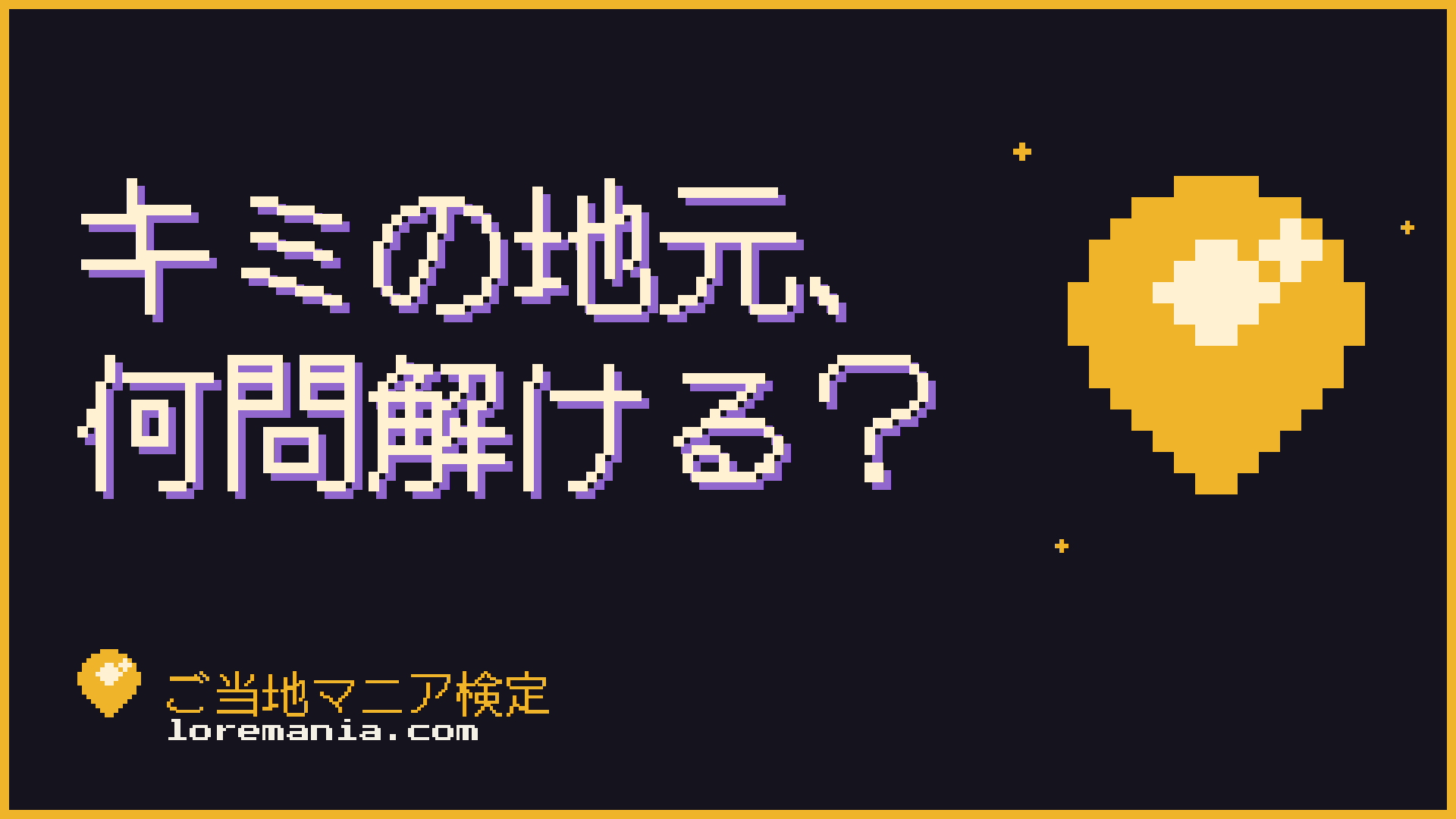 Landscape 16:9 (dark background × logo × title text)Download
Backgrounds (frame only, for making your own)
Framed blank canvases for your own title text and avatar. Each size comes in dark / light. Adding a big region name (e.g. “Kyoto”) makes viewers respond to it as their own.
 Landscape 16:9 — darkDownload
 Landscape 16:9 — lightDownload
 Portrait 9:16 — darkDownload
 Portrait 9:16 — lightDownload
 Square 1:1 — darkDownload
 Square 1:1 — lightDownload
Logo (parts for your own design)
The logotype is language-independent — we only distribute the “LoreMania” version. Use the regular files on dark backgrounds and the light variants (deep amber) on bright ones.
 Pin mark — for dark backgroundsDownload
 Pin mark — for light backgroundsDownload
 Logotype — for dark backgroundsDownload
 Logotype — for light backgroundsDownload
Asset terms
- Free to use in thumbnails and announcement images for streams, videos, and social posts — monetized content included.
- Cropping, adding text, recoloring — any edits are fine. No credit needed (CC0-equivalent).
- For these images there are only three NGs: implying endorsement by a real exam body, posing as LoreMania itself (official accounts / staff), and spreading misinformation.
Need help?
If something isn’t working, or you’re unsure whether you may stream it, reach us via thecontact form.